
Roomify Nexus Charging Stand


Roomify Nexus Charging Stand
Level Up Your Setup Upgrade your desk aesthetic instantly. Designed for ultimate performance and maximum vibe, this is the missing piece to your dream setup.
Why You Need It:
-
Premium Build: High-quality materials for a stable and fast charging experience.
-
Modern Aesthetic: A sleek, minimalist "Nexus" design that eliminates cable clutter.
-
Smart Utility: Keep your essentials powered up and within reach at all times.
What's included:
-
1x Roomify Nexus Charging Stand

RGB Light Modes
Default 7-color cyclic light effect after power on.
1. Click to switch mode: 7-color cyclic light effect - 7-color breathing light effect - monochrome constant light effect (blue-green-red-purple).
2.Long press 3 seconds to turn off/on the light.
3.With memory function, after the power off and on to remember the last light effect.

With 2 Expansion Ports
‣Type-C 2.0*1 + USB 2.0*1
‣Can provide charging and data transfer for headphones, cell phones, USB flash drives and other devices
‣Compatible with Win 7, Win 8, Win 10, Win 11, XP, Linux, Apple Mac Os and other USB powered devices.
PS: Devices with private protocol requirements or current requirements greater than 1.5A are not supported.


Adaptable To All Sizes Of Headphones
Suitable for: eSports, home office, catching up on TV shows at home, desktop cable organization, etc.
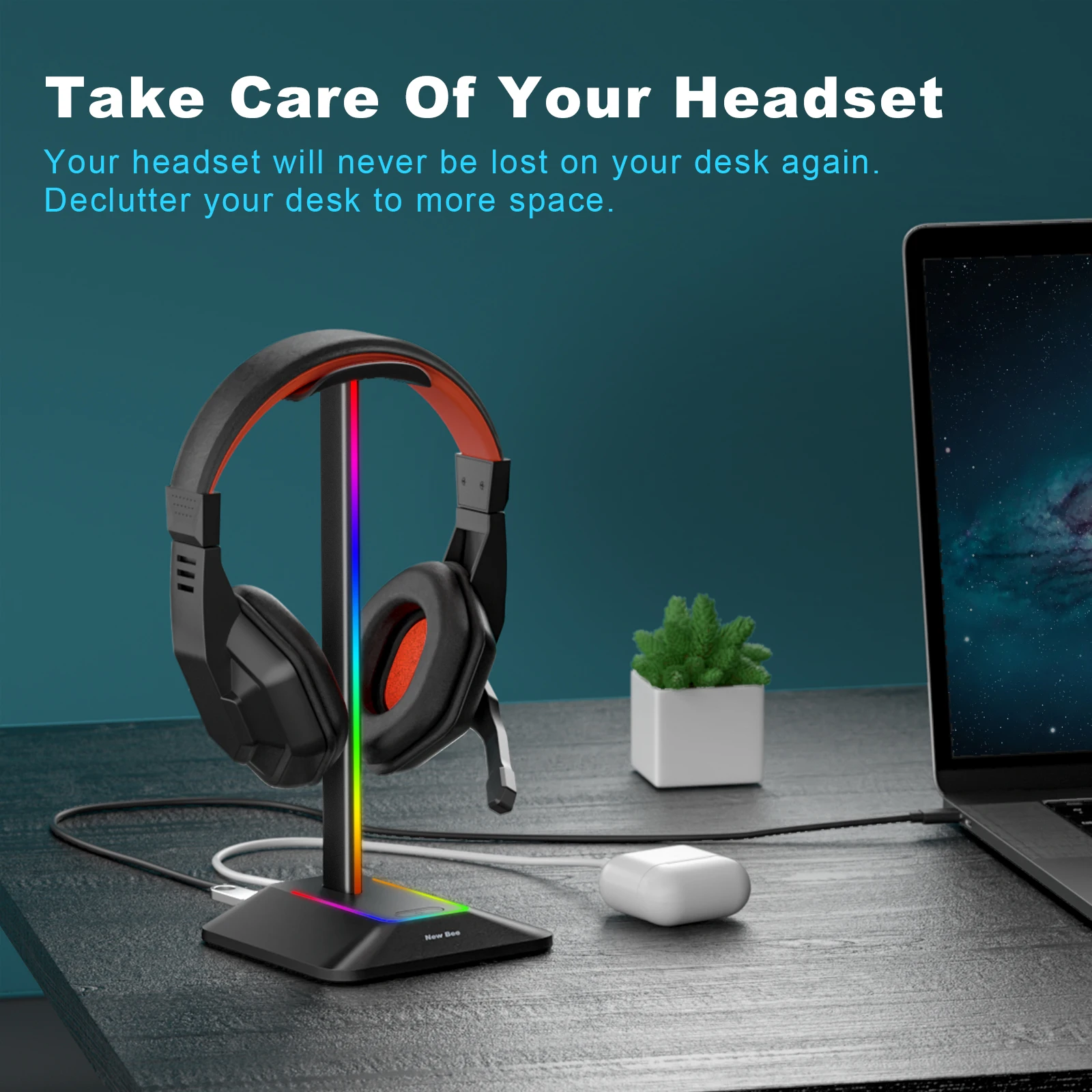

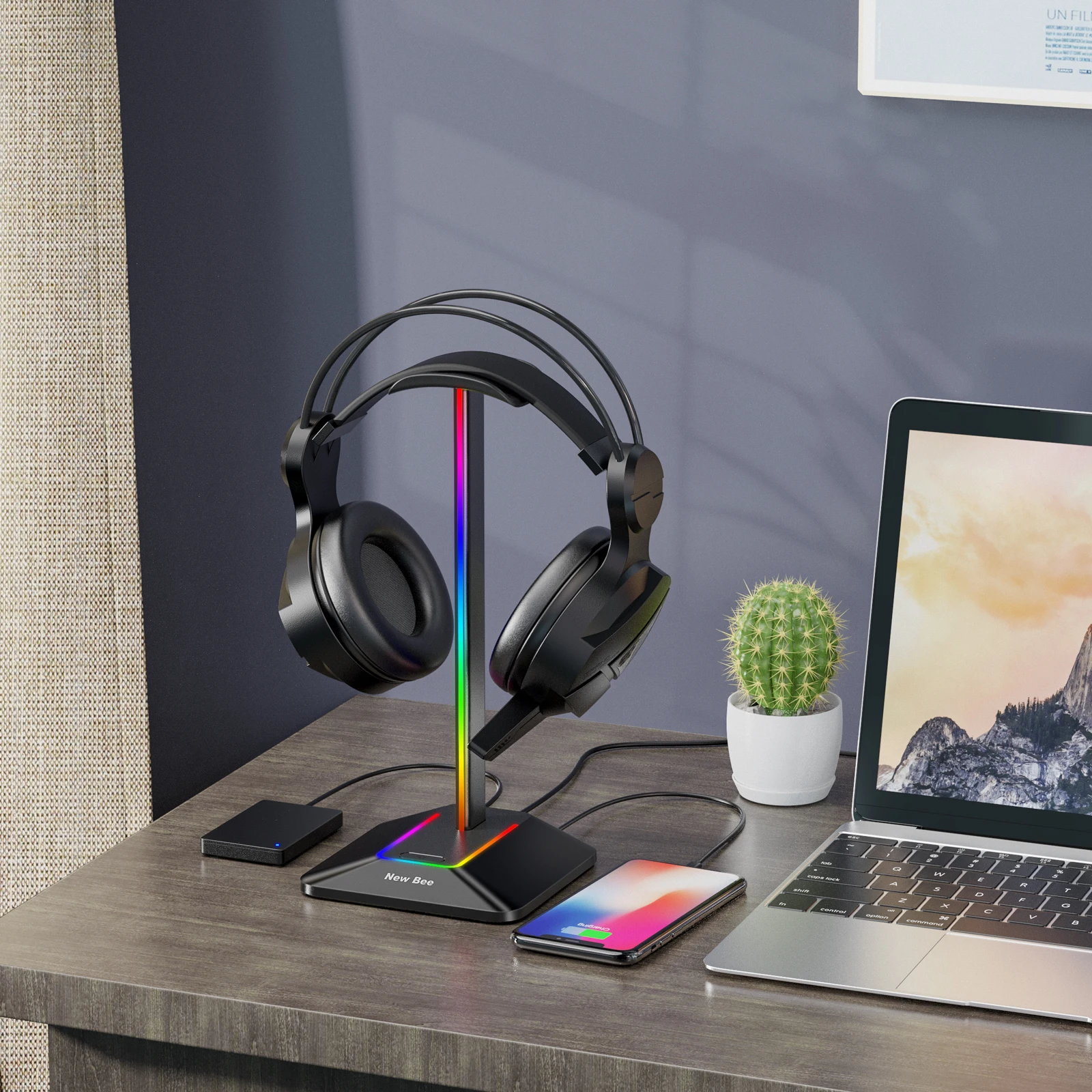
Anti-slip silicone design
Provides excellent stability and prevents tipping and shifting during use

Headphone holder automatically turns on the light when it is powered on.

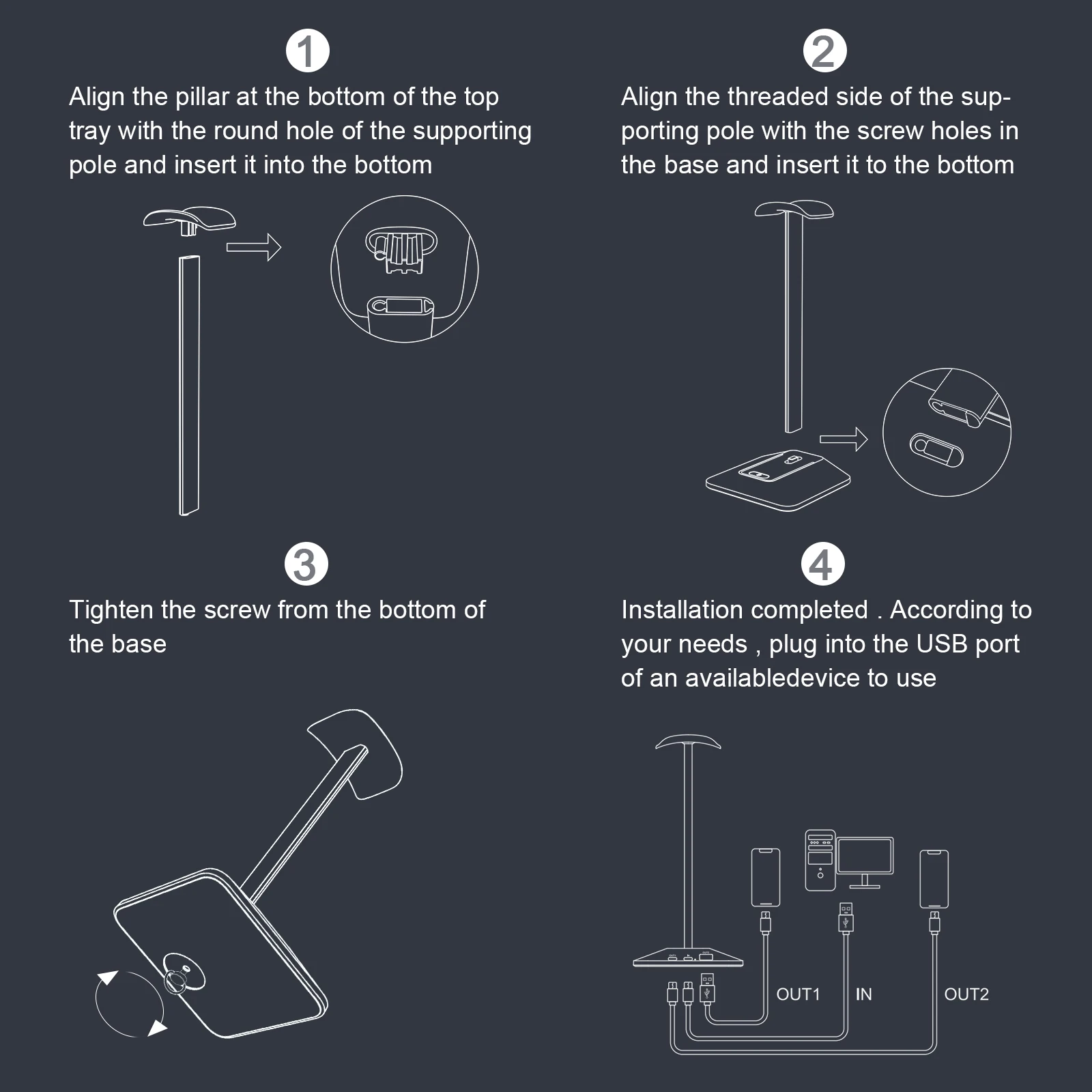
Easy to install Easy to use
Step 1: Insert the threaded side of the support rod to the bottom by aligning it with the screw holes of the base.
Step 2: Lock the screws from the bottom of the base.
Step 3: Insert the post at the bottom of the top tray to the bottom by aligning the round hole side of the support bar.
Step 4: Installation is complete. Insert it into the USB port of the available device according to your need and use it.
Packing List :
1 * Z8 Stand Holder
1 * Type C Cable
1 * Manual
1 * Package Box
